

Reviews
Iridium Drive Endless Racing offers a polished arcade experience with vibrant 3D graphics and responsive controls. The vehicle customization adds a personal touch, while the procedurally generated obstacles ensure no two runs are the same. The gradual speed increase provides a satisfying challenge for players of all skill levels. It's a great choice for quick gaming sessions.
About this game
Game Introduction
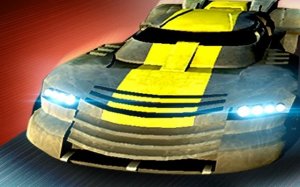
Iridium Drive Endless Racing is an online arcade game that blends the excitement of racing with the endless runner format. Players control a futuristic vehicle on an infinite track, with the main goal of traveling as far as possible without stopping. The game features a vehicle customization system that allows players to personalize colors and parts to create a unique ride. With vibrant 3D graphics and smooth performance on desktop browsers, the game offers an immersive experience. Whether you have a few minutes or an hour, the game provides endless replayability and a constant challenge to beat your personal best distance. The track is procedurally generated, ensuring each run is different.
How to Play
To play, simply load the game in your desktop browser. The vehicle moves forward automatically, so your main task is to steer it sideways to avoid obstacles. Use keyboard controls such as the left and right arrow keys to dodge barriers, other vehicles, and road hazards. As you survive longer, the game speed gradually increases, demanding faster reactions. Look for glowing power-ups on the track that may provide temporary speed boosts or score multipliers. The game ends when you hit an obstacle, and your final score is based on distance traveled and bonuses collected. Practice helps you learn obstacle patterns and improve your reaction time.
Game Features
This game offers customizable vehicles with multiple color and part options. The endless track features procedurally generated obstacles, ensuring each run is unique. The difficulty increases automatically as you progress, keeping the challenge fresh. The game is optimized for desktop browsers with vibrant 3D graphics and supports full screen mode for an immersive experience. It is free to play with no downloads required, making it easy to jump in and start racing.
Tips for Success
Focus on staying centered on the track to give yourself more time to react to obstacles. Learn to anticipate the pattern of hazards as they appear. Use power-ups wisely—save speed boosts for straight sections and collect multipliers when you have a clear path. Practice regularly to improve your reflexes and learn how the game speed increases over time. Stay calm as the pace picks up, and try to beat your own high score each time you play.
Compatibility
✅ This game supports:
- Desktop browsers (Chrome, Edge, Safari)
- Mobile browsers (Chrome on Android, Safari on iOS)
❌ Does NOT support: - Internet Explorer - Very old browser versions
👉 Try refreshing or updating your browser
Faq
Is Iridium Drive Endless Racing available on mobile devices?
The game is currently optimized for desktop browsers. It may not be fully supported on mobile devices or tablets. For the best experience, play on a computer with a keyboard.
Can I save my progress in Iridium Drive Endless Racing?
The game typically saves your best score in your browser's local storage. This means your high score will be remembered between sessions on the same device and browser, but it may not sync across different devices.
Are there different tracks or environments in Iridium Drive Endless Racing?
The game features a single endless track with procedurally generated obstacles. While the track itself does not change, the obstacle patterns and power-up placements vary with each run, providing variety.
How do I unlock new vehicle parts in Iridium Drive Endless Racing?
Vehicle parts and colors are typically unlocked by reaching certain distance milestones or by collecting specific power-ups during gameplay. The exact unlock conditions may vary, so keep playing to discover new options.
Is there a leaderboard in Iridium Drive Endless Racing?
Some versions of this game may include a local leaderboard that tracks your best scores. However, global online leaderboards are not confirmed. Check the game interface for any score display after each run.
What should I do if the game runs slowly on my computer?
Ensure your browser is updated to the latest version. Close other tabs or applications that may use system resources. You can also try lowering the graphics settings if available, or switch to full screen mode for better performance.






Comments
0 comments