
Reviews
City Driving Challenge offers a solid driving experience with two modes that cater to different play styles. The Points mode adds a time-based challenge, while Free Driving lets you explore at your own pace. The split-screen multiplayer is a great addition for playing with a friend.
About this game
Game Introduction
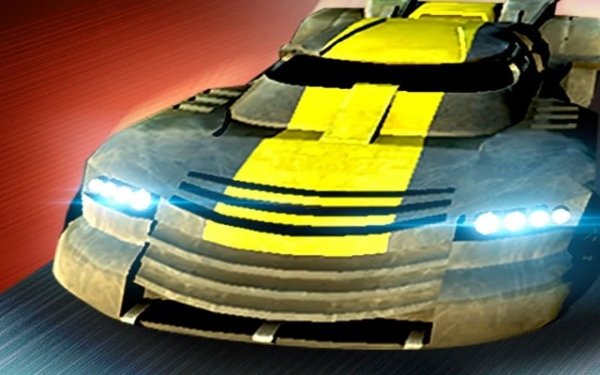
City Driving Challenge is a 3D driving game set in an abandoned urban landscape. Players take control of armored and sports vehicles to navigate through obstacles and challenges. The game offers two main modes: Points mode, where you complete levels within a time limit to earn points and unlock special cars, and Free Driving mode, which allows unrestricted exploration of the city. Nitro boosts help with speed and control. The game supports single-player and two-player split-screen action, making it suitable for sharing with a friend.
How to Play
Players control their vehicle using standard keyboard inputs. In Points mode, the objective is to complete each level before time runs out to earn points and unlock the double-locked car. In Free Driving mode, players can explore the city without time pressure. Use nitro strategically to handle tight corners and avoid obstacles. Split-screen mode lets two players compete or cooperate in the same environment.
Game Features
Split-screen multiplayer for two players. Nitro boosts for speed and control. Two game modes: Points and Free Driving. Armored and sports vehicles to drive.
Tips for Success
Practice using nitro boosts to maintain speed through tight turns. In Points mode, focus on completing each level efficiently to maximize your score. Use the look-back feature to keep track of obstacles behind you. In Free Driving mode, take time to learn the city layout to improve your navigation skills. Playing with a friend in split-screen can help you discover new strategies and make the game more enjoyable.
Compatibility
This H5 game runs smoothly on:
• Desktop computers (Windows / Mac) • Mobile phones (iPhone / Android)
• Tablets (iPad / Android)
🌐 Best experienced with Chrome, Safari, or Edge
Faq
What platforms is City Driving Challenge available on?
The game is a browser-based title that can be played on most modern web browsers. It is designed to work on both desktop and laptop computers.
Does City Driving Challenge require an internet connection?
Yes, an active internet connection is required to play the game as it loads directly from a web server. No download or installation is needed.
Can I save my progress in City Driving Challenge?
Progress in Points mode is typically saved automatically in your browser's local storage. This means your unlocked cars and level completions will be retained between sessions on the same device.
Is City Driving Challenge suitable for children?
Yes, the game features non-violent driving challenges and obstacle navigation. There is no graphic content, making it appropriate for players of all ages.
What are the system requirements for City Driving Challenge?
The game requires a device with a modern web browser that supports WebGL and JavaScript. A stable internet connection and a keyboard are needed for controls.
How do I unlock the double-locked car in City Driving Challenge?
The double-locked car is unlocked by earning enough points in Points mode. Focus on completing levels efficiently and using nitro boosts to maximize your score.









Comments
0 comments