

Reviews
Catchy Ball offers a pure reflex challenge that is easy to pick up but hard to master. The increasing speed and changing angles keep each round fresh. Its clean design and responsive controls make it enjoyable for all ages. Perfect for short gaming sessions.
About this game
Game Introduction
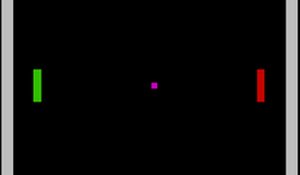
Catchy Ball is a reflex-based arcade sports game where players control a pair of catcher's hands to stop an incoming football. The core objective is simple: align the hands perfectly to catch the ball as it comes from different angles and speeds. Designed for quick, engaging sessions, this game offers immediate fun without any downloads or complicated rules. Each round presents a unique challenge, keeping the experience fresh and testing your ability to react quickly. The clean visuals and responsive controls make it accessible to players of all ages, from children to adults, providing a rewarding way to sharpen reflexes during short breaks or longer play sessions.
How to Play
To play, use your mouse on a computer or your finger on a touchscreen device. Move the catcher's hands left or right to match the position of the incoming football. Watch the ball's trajectory carefully and anticipate where it will arrive. The game starts at a comfortable pace but gradually increases in speed, demanding faster reactions. Simply click or tap to adjust the hands' location. You can play in full screen mode for a better view. The controls are intuitive, so you can start catching immediately. As you progress, the challenge grows, but the core action remains the same: align and catch. It is easy to learn but becomes more difficult as your reflexes are pushed to the limit.
Game Features
Reflex-testing football catching gameplay that increases in difficulty. Easy controls that work with mouse or touch. Free to play with no downloads required. Compatible with desktop and mobile devices. Full screen mode for an immersive experience. Each round offers a new angle and speed, ensuring variety. The game is designed for quick sessions and can be played repeatedly without boredom.
Tips for Success
Practice regularly to improve your reaction time. Focus on the ball's trajectory early to anticipate its arrival point. Stay relaxed and keep your eyes on the ball as speed increases. Use full screen mode to minimize distractions. Take short breaks if you feel your reflexes slowing. Remember that each round is unique, so adapt quickly to new angles and speeds.
Compatibility
• OS: Windows 10+, macOS 11+, iOS 14+, Android 10+
• Browsers: Chrome 100+, Safari 15+, Edge 100+, Firefox 100+
• Not compatible with Internet Explorer
Tested on real devices ✅ works as expected
Faq
Is Catchy Ball free to play?
Yes, Catchy Ball is completely free to play. There are no hidden costs or in-app purchases required. You can enjoy the game directly in your browser without any payment.
Can I play Catchy Ball on my smartphone?
Yes, Catchy Ball is compatible with both desktop and mobile devices. You can play using your finger on a touchscreen, making it easy to enjoy on smartphones and tablets.
Does Catchy Ball have a time limit per round?
Each round in Catchy Ball lasts until you either catch the ball or miss it. The game focuses on your reaction speed rather than a fixed timer, so you can play at your own pace.
What happens if I miss the football in Catchy Ball?
If you miss the football, the round ends and you can start a new attempt. The game encourages you to try again and improve your reflexes with each play.
Are there different difficulty levels in Catchy Ball?
Catchy Ball does not have selectable difficulty levels. Instead, the game gradually increases speed and changes angles as you play, naturally challenging your reflexes over time.
Can I play Catchy Ball offline?
Catchy Ball is designed to be played online in a web browser. It requires an internet connection to load, but once loaded, some browsers may allow limited offline play.









Comments
0 comments