
Reviews
Portaboy+ Classic Arcade Collection offers a solid selection of mini-games that progressively challenge your reflexes. The browser-based design means no downloads, and the family-friendly content makes it suitable for all ages. The high score tracking adds replay value, and the full-screen mode enhances focus. A great choice for casual gaming sessions.
About this game
Game Introduction
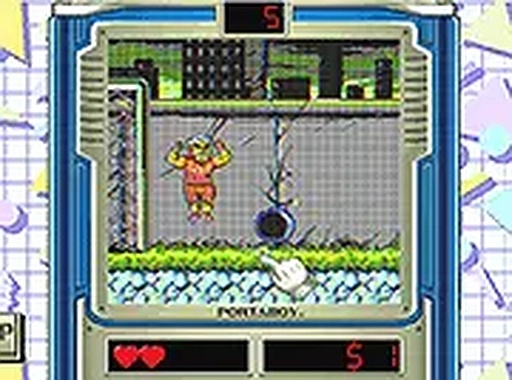
Portaboy+ Classic Arcade Collection is a browser-based compilation of mini-games that recreates the feel of classic arcade entertainment. In this game, you start by acquiring your own Portaboy device, which serves as your portal to a variety of challenges. The main goal is to successfully complete each mini-game, which tests your concentration and reaction speed. Designed for desktop computers, it provides a smooth and family-friendly experience suitable for both casual players and those more familiar with video games. As you progress, the tasks become more demanding, offering a sense of accomplishment with each completed level. The game captures a nostalgic atmosphere without requiring any downloads, making it easy to jump in and play. Its escalating difficulty keeps the experience engaging, while the straightforward design ensures that players of all ages can understand and enjoy the content. Portaboy+ focuses on pure, browser-based action, emphasizing quick thinking and precise input.
How to Play
To play Portaboy+ Classic Arcade Collection, you use your keyboard and mouse on a desktop computer. Each mini-game presents a distinct objective, such as clicking on specific targets or pressing keys in a particular order. The game begins with simple tasks and gradually increases in complexity, requiring faster reactions and more accurate movements. You follow the on-screen instructions for each challenge, which clearly explain what you need to do. The game runs entirely in your browser, so there is no need to install any software. You can also activate full-screen mode for a more focused experience. The controls are responsive, and the gameplay is designed to be easy to start but difficult to master, encouraging repeated play to improve your performance.
Game Features
Portaboy+ Classic Arcade Collection includes several features that enhance the classic arcade experience. It offers multiple mini-games that increase in difficulty as you play, keeping the gameplay fresh and challenging. The content is family-friendly and suitable for all ages, with no inappropriate material. The game is free to play and requires no downloads, as it runs directly in your browser. A full-screen mode is available for a more immersive experience. The controls are designed for smooth desktop use with a keyboard and mouse, ensuring precise input. The game also tracks your high score, encouraging you to beat your own records and improve over time.
Tips for Success
To succeed in Portaboy+ Classic Arcade Collection, practice each mini-game to learn its specific mechanics. Stay focused and minimize distractions, as the challenges require quick reactions. Start with easier levels to build your skills before attempting harder ones. Use full-screen mode to reduce visual clutter. Take short breaks if you feel frustrated, as a clear mind improves performance. Finally, aim to gradually improve your high score, as each attempt helps you master the timing and patterns needed to advance further.
Compatibility
• OS: Windows 10+, macOS 11+, iOS 14+, Android 10+
• Browsers: Chrome 100+, Safari 15+, Edge 100+, Firefox 100+
• Not compatible with Internet Explorer
Tested on real devices ✅ works as expected
Faq
Is Portaboy+ Classic Arcade Collection free to play?
Yes, the game is completely free to play. You can access it directly in your browser without any payment or subscription. There are no hidden costs, and you can enjoy all the mini-games without spending money.
Can I play Portaboy+ on a mobile device?
The game is designed for desktop computers and uses keyboard and mouse controls. While it may be accessible on some mobile devices, the experience is optimized for desktop play. For the best performance, we recommend using a computer.
How many mini-games are included in Portaboy+?
The game includes a variety of mini-games, but the exact number is not specified. The collection offers multiple challenges that increase in difficulty, providing a diverse range of tasks to complete. The focus is on quality and progressive challenge rather than a fixed count.
Do I need to create an account to play Portaboy+?
No account is required to play. You can start the game immediately in your browser without any registration or login. This makes it easy to jump in and start playing without any setup.
Does Portaboy+ save my high score?
The game tracks your high score during your session, encouraging you to beat your own records. However, the score may not be saved permanently between sessions unless the game uses browser storage. You can still challenge yourself to improve each time you play.
Is there a way to reset my progress in Portaboy+?
Progress is typically reset when you close the browser or refresh the page, as the game does not require an account. If you want to start over, simply refresh the page or clear your browser's cache for that site. This allows you to begin from the first mini-game again.









Comments
0 comments